Inside the Dashboard: AI-Powered Analytics for Your Community
The free data is just the beginning. The Dashboard is where it gets powerful.
MyTownView's consumer pages give every resident access to their town's public data — meetings, finances, crime, schools, demographics. But what if you want to analyze that data? Compare your town against neighbors? Track metrics over time? Generate reports for a board meeting?
That's what the Dashboard is for.
The Scorecard: Your Town in 60 Seconds
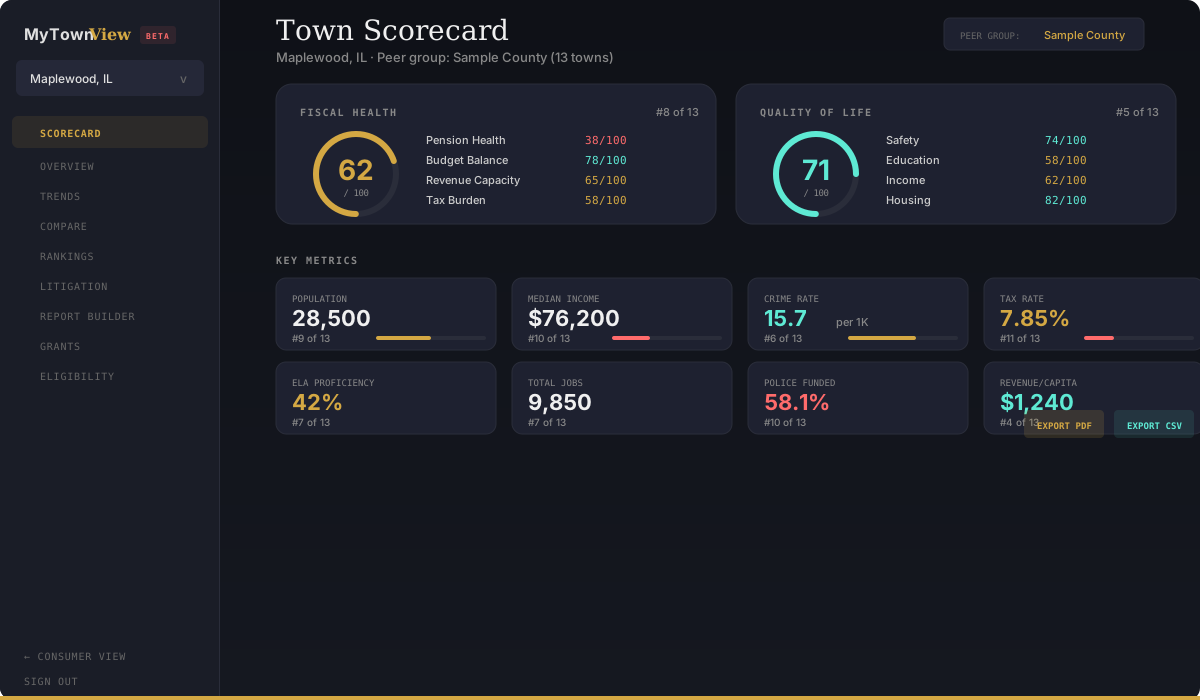
The Town Scorecard is an executive summary of your municipality. Two composite scores — Fiscal Health and Quality of Life — distill dozens of metrics into simple 0-100 ratings, ranked against a peer group.
Fiscal Health combines pension fund status, budget balance, revenue capacity, tax burden, and revenue growth. Quality of Life factors in safety, education, income, housing, and environment.
Below the composite scores, eight key metrics — population, median income, crime rate, tax rate, ELA proficiency, total jobs, police funded ratio, and revenue per capita — each show their value, peer rank, and a visual position indicator.
Every metric includes an InfoTip explaining what it means in plain English. No jargon, no assumptions about your background.
You can filter peer groups by:
- All towns on the platform
- County — compare within DuPage, Cook, etc.
- Distance — 5, 10, 15, or 25-mile radius from your town
Export the entire scorecard as a PDF report or CSV spreadsheet.
Trends: Track Change Over Time
The Trends dashboard lets you overlay up to five towns on a single chart and track how any metric changes over time.
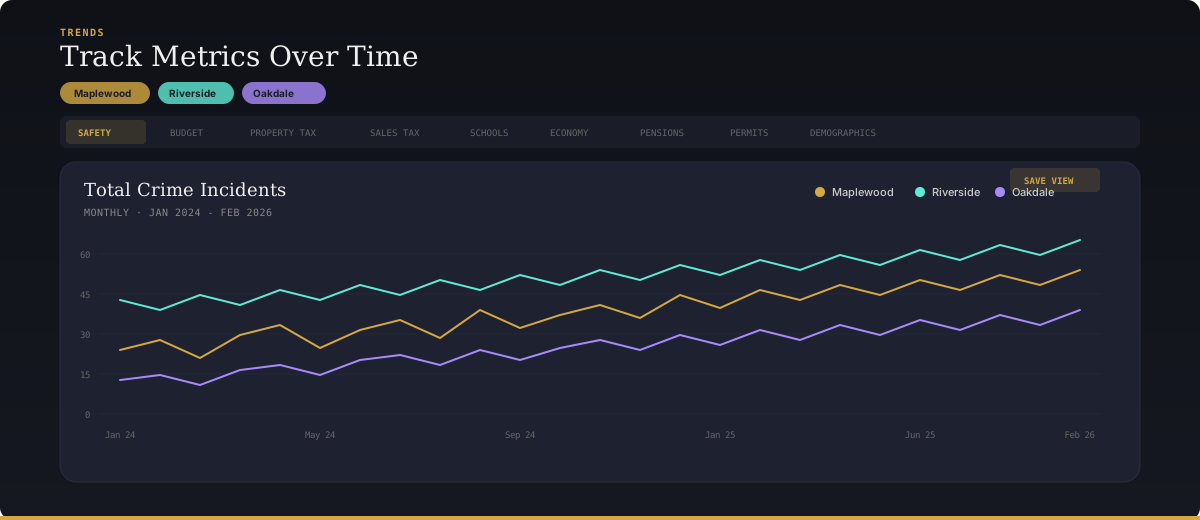
Eleven metric categories are available:
- Safety — Monthly crime incidents by type (theft, burglary, assault, battery, DUI, drug offenses, and more)
- Municipal Budget — Annual revenue and expenditure
- Property Tax — Composite rates over time
- Sales Tax — Quarterly revenue trends
- Schools — Enrollment, proficiency rates, graduation, chronic absenteeism
- Economy — Jobs, establishments
- Pensions — Funded ratios for police, fire, and IMRF
- Building Permits — Units permitted, construction value
- Demographics — Population and income changes
- Federal Spending — Award totals and counts
- TIF Districts — Increment revenue and EAV
Charts support monthly, quarterly, and annual granularity. You can save views to quickly return to the comparisons you care about.
Compare: Side-by-Side Analysis
The Compare tool puts up to five municipalities next to each other with horizontal bar charts for every metric.
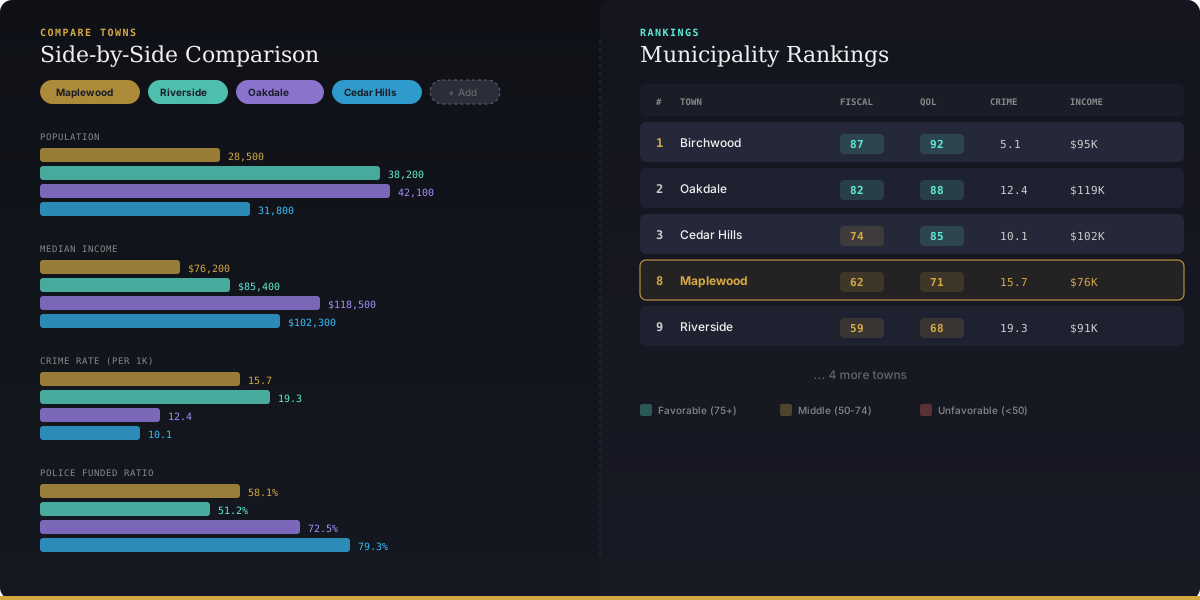
Pick Villa Park, Lombard, Elmhurst, and Glen Ellyn. Instantly see who has the highest median income, lowest crime rate, best-funded pensions, or highest per-pupil school spending. Every metric from the Scorecard is available for comparison.
This is the tool real estate agents, municipal staff, and engaged residents use to understand how their community stacks up.
Rankings: Every Town, Sorted
The Rankings table shows every municipality on the platform in a sortable, color-coded table. Click any column header to sort by that metric.
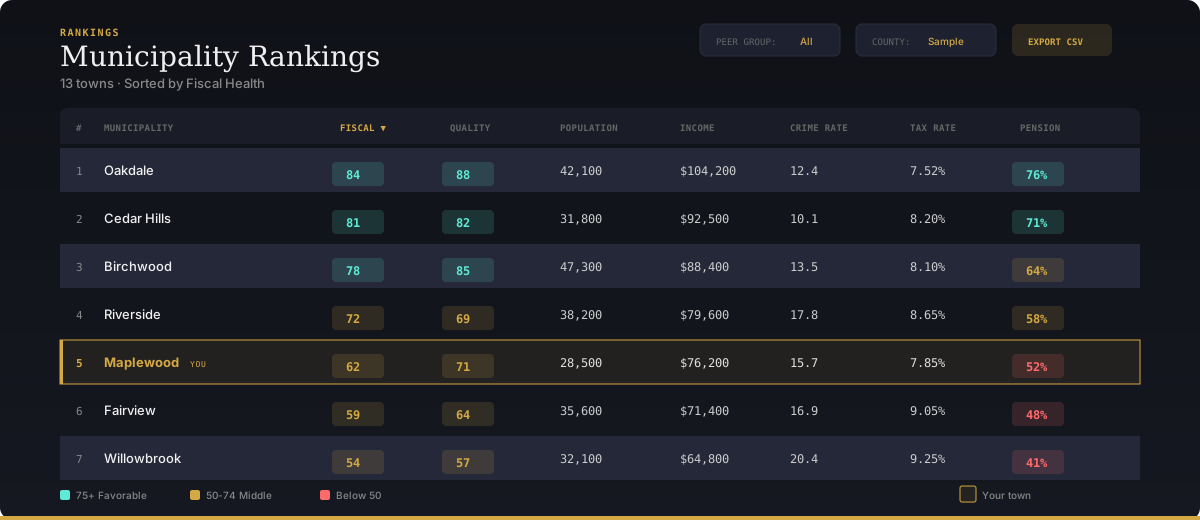
Scores are color-coded:
- Green (75+) — Favorable
- Amber (50-74) — Middle
- Red (below 50) — Needs attention
Your town's row is highlighted so you can immediately see where you stand. Filter by county or proximity to focus on your peer group.
Litigation: Federal Lawsuits & Settlements
The Litigation dashboard tracks federal lawsuits involving your municipality — civil rights cases, employment disputes, personal injury, eminent domain, and more.
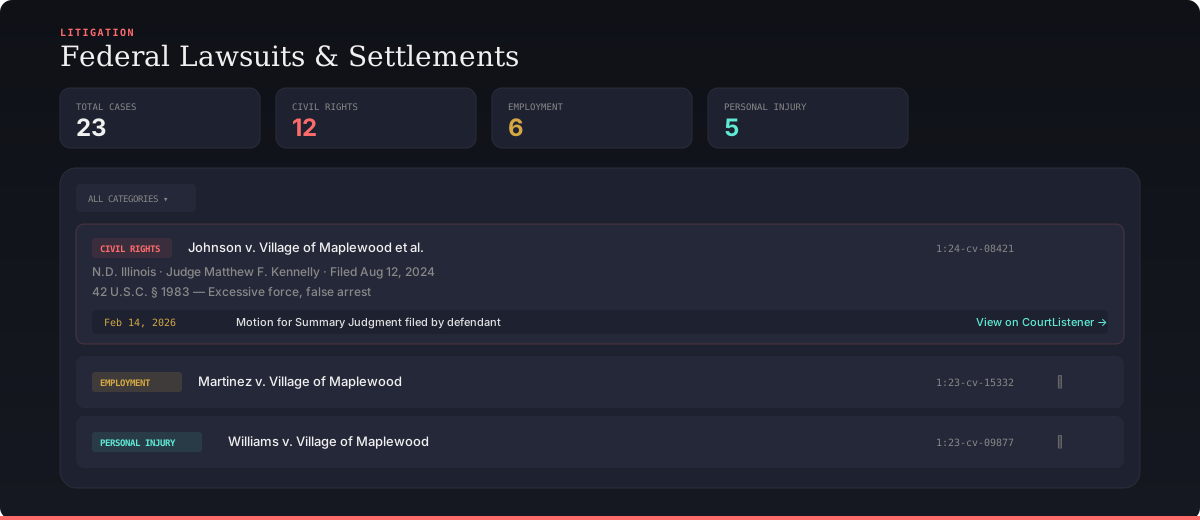
Each case shows the opposing party, judge, cause of action, attorneys involved, and docket entries with links to court documents. Data comes from CourtListener, so every case links back to the official federal court record.
For municipalities with police misconduct settlements, this is essential transparency.
Report Builder: Custom PDF Reports
Need to present data to a board, a client, or a community group? The Report Builder lets you select which sections to include — demographics, finance, property tax, education, safety, economy, pensions — and generate a formatted PDF report.
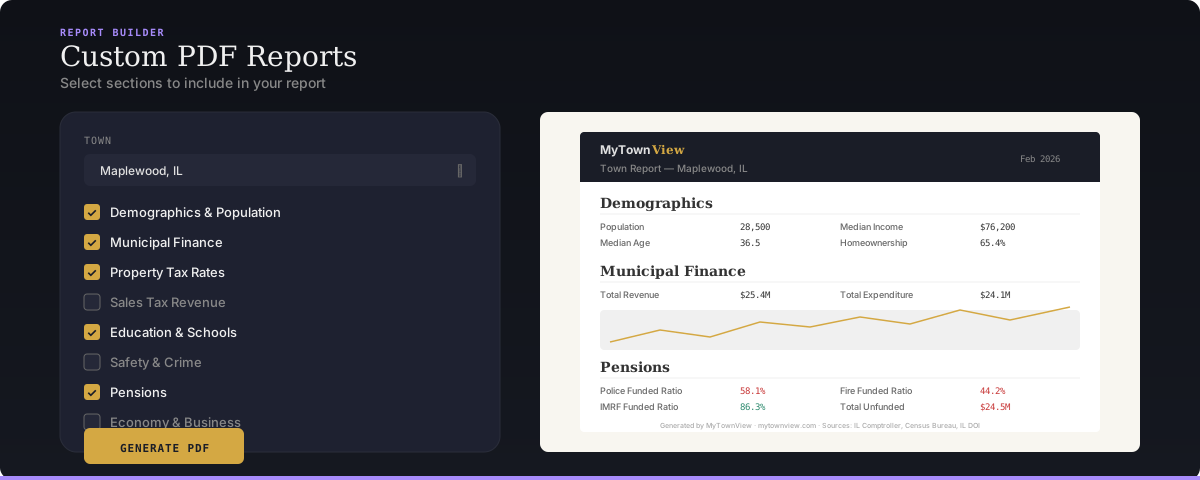
Select your town, check the boxes, and download. Clean, professional, source-cited.
Grant Finder & Eligibility (Official Tier)
For municipal staff on the Official plan, two additional tools unlock:
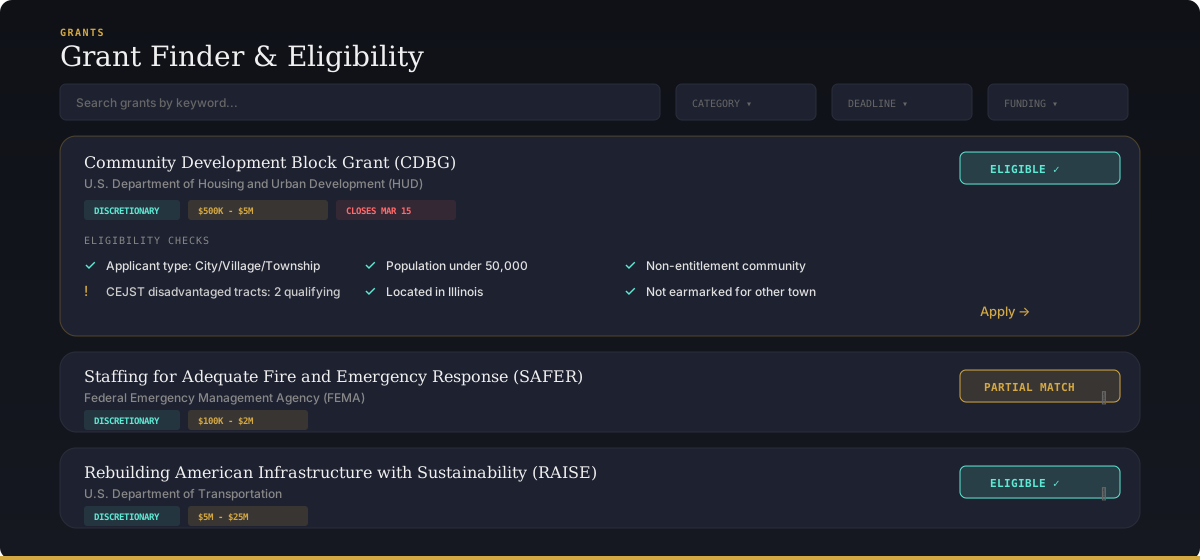
Grant Finder — A searchable database of federal and state grant opportunities with filters for category, deadline, funding range, and applicant type. Each grant shows an AI-powered eligibility assessment based on your town's demographics.
Eligibility Check — Pass/fail analysis for every grant against your municipality's specific data: RUCC rural/urban classification, CEJST disadvantaged community status, Title I school districts, population thresholds, and economic indicators.
These tools are purpose-built for the grant administrators, village managers, and economic development directors who spend hours searching for funding. We do the matching automatically.
Who Is the Dashboard For?
Resident — Single-town access. Scorecard, Trends, Litigation, Report Builder, and AI Chat for your community.
Analyst — Full platform access. Everything in Resident plus Compare, Rankings, and multi-town trend overlays.
Official — Everything above plus Grant Finder, Eligibility Check, and dedicated support. Built for municipal staff.
All paid plans include a 14-day free trial — no credit card tricks, cancel anytime.
Ready to try it? Start your free trial at mytownview.com/offerings, or explore the free data at mytownview.com/states first.